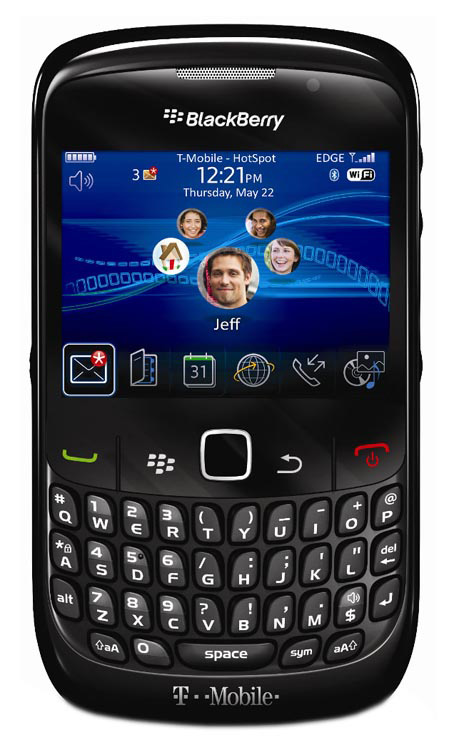
What are you need to do ?1. A Lock BlackBerry – or no Lock BlackBerry
2. A PC with Microsoft Windows Xp/Vista 32-bit
3. An USB mini Cable < for connect BlackBerry with PC >
4. BlackBerry Desktop Manager < Software and Driver for BlackBerry >
5. BlackBerry OS < for reinstall OS after Unlock >
6.
MFI Multi Loader (MML) < tool for unlock >
7. MML patch files <files need for unlock>
8. VSM files <files for change vendor ID – Boot Screen >
9. A Good Guide from good man in India<TheMobiForest>
Now what we will do ?1. Make sure you have a BlackBerry with full or at least 50% Battery
2. Make sure you do a full data backup on your BlackBerry, If it a new one – no
need to backup
3. Remove SIM Card, turn off radio, turn off Bluetooth, turn off Wifi or any
connection on BlackBerry
4. Install BlackBerry Desktop Manager
5. Install BlackBerry OS (make sure you install the same OS with a BlackBerry
you want to unlock)
6. Install MML: Run
MMLSetup.msi 7. Open My Computer. Go to C:\
8. Copy MML patch override the MML folder in C:\
9. Copy VSM folder into MML folder (If you want to change vendot ID in next
steps)
x. Don’t connect BlackBerry to PC now
Disconnect PC from Internet. (turn off wifi, Unplug LAN cable, …)
Turn off/ Disable any Antivirus Software, Firewall …
12. Make sure Database OFFLINE and Logging OFF
13. Uncheck Auto Start and Full erase.
14. Connect BlackBerry to PC via USB cable
Wait until it say PASS, Go to step 15 PASS go to next stepIf it say FAIL . disconnect BlackBerry form PC, close MFI Multiloader, check
to step 10 and do try again from step 10
15. Disconnect BlackBerry form PC, Close MFI Multiloader
16. Your BlackBerry will show 1 number on screen like that. If you want to change vendor ID (Boot screen) Go to Step 17
If not, you just want to unlock BlackBerry Go to Step 19 17. Re-Open MFI Multiloader, in Connect a device to begin… screen press
Ctrl + Alt + Shift + F12, It will show the Hidden menu (Remember Don’t
connect BlackBerry before show hidden menu) Connect BlackBerry to PC again, You will see BlackBerry Info18. Now Click Load VSM
Select VMS file with vendor ID and Boot Logo you want to change to List about some vendor here...
I would like to list out a few vendor name with VSM# for your information , in
case you guys want to change vendor ID and carrier logo splash screen.
here we go;
Note: I just specify the middle 5 digits number from the VSM-xxxxx-002
format:
22058 IEND
10597 US Cellular 189
21666 Verizon
21555 Tmobile
21453 Orange
06996 roger
06431 6558 t-mobile
06570 6715 IEND TIM
06792 swisscom mobile
7172 cable & wireless
7187 9098 CSL Hong Kong
7452 movistar
7485 Telus mobility
7598 sprint
7625 orange france
8211 7105t tmobile
8343 vodafone
8346 vodafone GB
8399 8417 E-plus
8667 9199 9295 TMobile
8904 Bouygues
8916 maxis
9167 Era
9185 EIN
9378 ALLTEL
9653 Entel
9725 BT
9730 trukcell
15858 movistar
VSM-09712-002 = vendor id 179
VSM-11697-001 = vendor id 1
22215 digitel
13560 Bell 320x240
15111 15160 mobilink
15202 Bouygues
15858 movistar
11220 Vodafone IT 240x320
11222 Vodafone UK 240x320
11223 SFR 240x320
11224 Vodafone Greece 240x320
11225 Vodafone Newzealand 240x320
11226 Vodafone Iceland 240x320
11227 Vodafone ireland 240x320
11228 Vodafone_Egypt 240x320
11229 Proximus 240x320
11231 Vodafone ES 240x320
11233 Vodafone Sing (MobileOne) 240x320
11234 Vodafone Sweden 240x320
11235 Vodafone Denmark 240x320
11236 Vodafone IT 240x320
11237 Vodafone Germany 240x320
Example:My 8700V is Vodafone then i choice VSM-09712-002 = vendor id 179 – Sim free
with boot screen with BlackBerry Logo Select And Open VSM
19. Close MFI Multiloader.
20. Goto C:\Program Files\Common Files\Research In Motion\AppLoader
Delete Vendor.xml
And Open the Loader
21. Check BlackBerry Screen you will see
850/900/1800/1900
Device in cal mode
Type ‘S’,’T’,’A’,’R’,’T’ to start
Type ‘GO’ to start
INTERACTIVE TEST
L: Led, M: Mic; V: Vib; B: Loud Speaker;G: Headset
J: Kpad Bkit
Sim: out
That mean your BlackBerry in Test Mode Or Boot Mode
Type S T A R T on screen to boot Device in Norman Mode
Now in BlackBerry screen will show No Application Linked
22. Backtop Destop with Loader open
Next to reinstall OS to your Blackberry
Select Application you want to install to your BlackBerry
Or just click next, We will install it later
Finish and Wait it done, and keep waitting for BlackBerry Boot up (about 20 min)
Don’t Disconnet or Turn off your Computer
When it boot up you will see BlackBerry Logo instead of Vodafone logo (on my
8700V)
Done, Your BlackBerry is Successful unlock / Change vendor ID
Restore your data and continue use BlackBerry with new Vendor/Boot logo If you have a problem Contact me via email:mobilehatke007@gmail.com
Next time I will make The Guide to change BlackBerry PIN number/ IMEI number for you.
P/S: If after Unlock, Your PC cant detect BlackBerry as USB Mass Storage run the repair USB Prob tool
Connect BlackBerry to PC and run mass storage activator.cmd with admin account on PC. After that BlackBerry will reboot and you can use USB Mass Storage.